Syntax highlight: background is affected, but no colors otherwise

Hi there,

I thought I had it working some time ago, but I just noticed the syntax highlighting is gone from my blog.

The repo is GitHub - gglanzani/blog.lanzani.nl: My blog and the theme is GitHub - gglanzani/hugola: My hugo theme (for lanzani.nl, but free to use).

And example of a page that doesn’t work is Docker_isbg · Technical inconsistencies blog (source https://raw.githubusercontent.com/gglanzani/blog.lanzani.nl/refs/heads/master/content/posts/2024-04-05-docker_isbg.md).

I’ve tried changing settings and so, to no avail (and, again, changing the highlight theme changes the background of the code, but no colors)

Nevermind, it seems that the problem was with Safari :frowning:

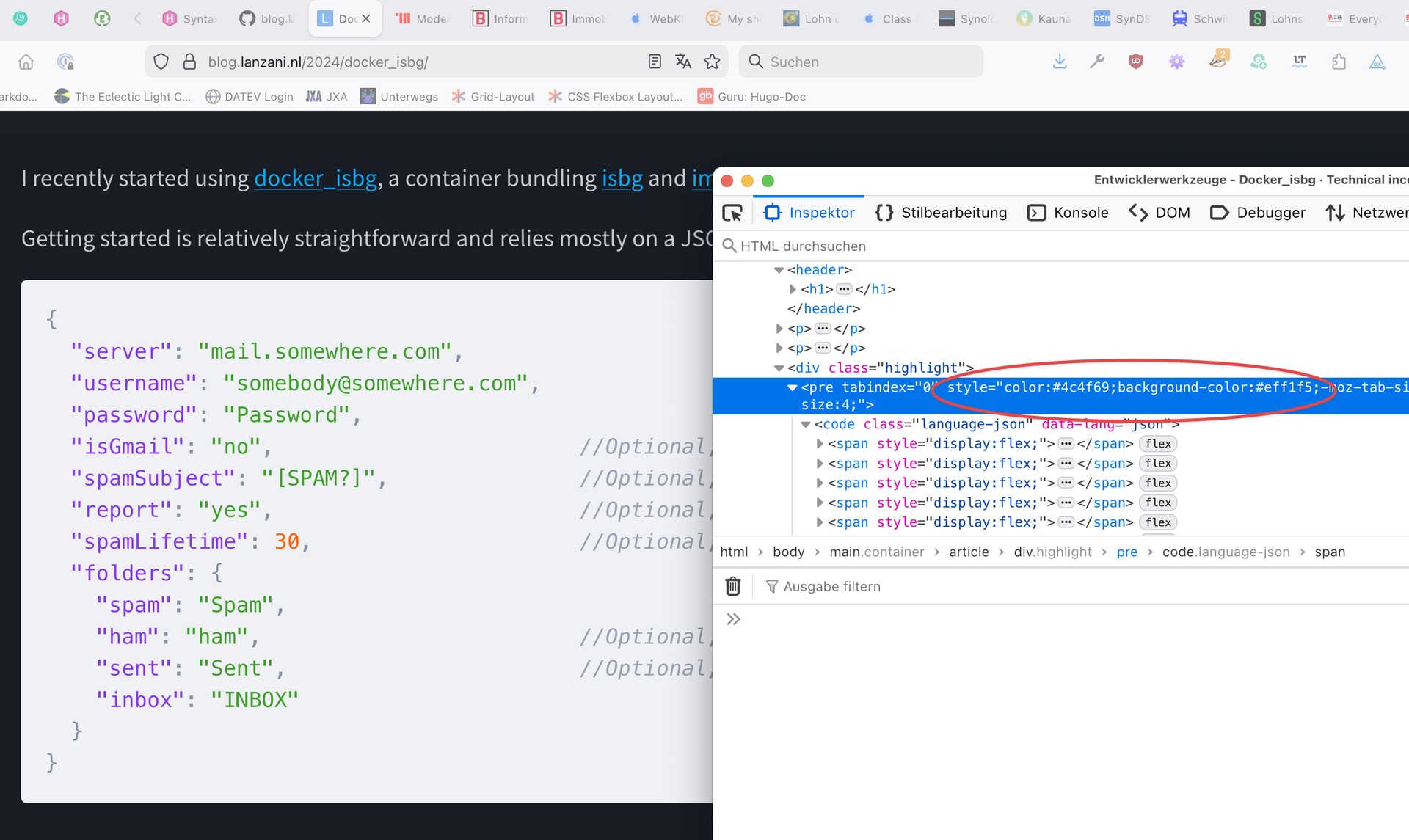
Was it? In Firefox, I see this in your HTML:

<pre tabindex="0" style="color:#4c4f69; background-color:#eff1f5;/-moz-tab-size:4;-o-tab-size:4;tab-size:4;"><code class="language-json" data-lang="json"><span style="display:flex;">

And that sets the background color regardless of dark/light mode.

Yes, but that’s OK, as that’s the catpuccin-theme that is “white” (I don’t know actually if hugo can change the colors of the syntax highlight automatically). The blog itself is light/dark based on the user’s preference.

The problem I had with Safari (or, rather, an extension within Safari) was that there were no colors inside (so, “server”, “mail.…”, were all grey.)

It’s not about Hugo but about the CSS. Themes setting colors statically instead of respecting the current dark/light mode setting are not helpful in this context, imo.

I agree, but that was not the problem I was facing :wink:

I’ve now fixed the syntax colors as well, respecting the system default. (but again, that was not what prompted me opening this thread)